How Long Do Cordless Vacuums Last?
How long cordless vacuums last depends on battery wear, care, and repair options. Runtime in minutes measures one charge, not the vacuum's useful life.
On this page (7 sections)
- How long do cordless vacuums last in everyday use?
- What usually wears out first?
- How can you tell if the battery is wearing out?
- What habits can help a cordless vacuum last longer?
- Does charging a cordless vacuum affect its lifespan?
- When should you replace the battery or vacuum?
- How long do cordless vacuums last if you maintain them?
How long cordless vacuums last depends on battery wear, care, and access to replacement parts, with no fixed lifespan for every model. A runtime claim in minutes describes one charge, not how many years the machine will remain useful.
The practical question is whether your vacuum still finishes the jobs you bought it for. A shorter charge may call for a replacement battery, while poor pickup may only need a clear air path.
How long do cordless vacuums last in everyday use?
A cordless vacuum lasts as long as it can clean your home reliably and remain worth repairing. Its battery, floor head, charger, and motor can reach that point at different times.
Frequent cleaning, long sessions, and regular use of high power all affect how you use the battery. Hair, dust, and debris also create upkeep jobs that can change how well the vacuum works.
Separate battery capacity from cleaning performance when judging age. Less time between charges suggests one problem; leaving crumbs behind with plenty of charge remaining suggests another.
Before buying, check whether you can get the exact battery, filters, and brush parts for that model. Our guide to choosing a cordless vacuum explains how to match those needs to your floors and cleaning routine.
What usually wears out first?
There is no fixed order, so identify the symptom before replacing parts. A vacuum that cuts out, loses pickup, or won't charge needs a different check for each problem.
Start with the easy causes: empty the cup, inspect the wand for blockages, and clear the brush. A brush packed with hair can struggle to turn even when the battery still has useful capacity.
If the vacuum stops during use, follow the manual's fault and cooling instructions before trying again. Repeated cutouts after maintenance need further diagnosis rather than repeated restarts.
Also inspect the floor head, connections, switches, and charger for damage. Several worn parts together can make a whole-machine replacement more sensible than buying a battery alone.
How can you tell if the battery is wearing out?
Battery wear becomes more likely when a full charge consistently covers less cleaning in the same mode with the same attachment. Make that comparison after clearing clogs and completing filter care.
Note how much of your normal route you finish, rather than comparing every session with the longest advertised runtime. Switching from a crevice tool to a powered floor head can change the result even with a healthy battery.
Levoit gives the LVAC-200 up to 50 minutes with the crevice or pet tool in Eco mode, 30 minutes with the floor head, and 12 minutes in Turbo. For floor cleaning, the floor-head figure is the useful starting point.
Choose the Levoit for daily pickups when hair wrap is a recurring chore, since it has an anti-tangle brush and a 2-in-1 pet tool. An extra genuine battery is also an option for extending cleaning sessions.
Skip it if your plan depends on long, uninterrupted Turbo cleaning. It also requires ongoing filter replacement, with Levoit recommending a new filter every 3 months.
For help matching a charge to your rooms, see how much battery runtime you need in a cordless vacuum. Leave some room in your plan for edges, furniture, and stubborn patches.
Does longer runtime mean cordless vacuums last longer?
Longer runtime does not prove a longer useful lifespan. It can give you more cleaning time per charge, but it doesn't establish how well a battery will retain capacity over years.
JellyPig claims up to 70 minutes for the X100 on low suction under no-load conditions at 25°C with a new, fully charged battery. That is not a floor-cleaning runtime.
The X100 suits people who pause often to move chairs or collect clutter, because it stands on its own. Its 1.8-liter dust cup and display for battery, cup, and filter information also suit longer cleaning routines.
Skip it if you need a firm promise of 70 minutes while cleaning floors. JellyPig also calls for emptying after each use and cleaning the filter, tube, and roller every 1–2 weeks.
KARDV gives its vacuum up to 60 minutes in minimum mode and 20–25 minutes in maximum mode. Use the shorter figure when planning work that needs the higher setting.
Choose the KARDV if you want a 5-pound vacuum for floors and handheld jobs, with wall-mounted charging between sessions. Its removable battery is useful to consider, but confirm access to an exact replacement before relying on future repairs.
Skip it if your cleaning needs exceed its maximum-mode window and you don't want a recharge break. A long low-power runtime won't solve that mismatch.
What habits can help a cordless vacuum last longer?
Clear airflow and regular brush care help prevent avoidable loss of performance. Follow your model's instructions for cleaning methods and intervals.
Empty the dust cup before debris reaches the fill line, especially when loose hair takes up space quickly. Check the wand and floor-head inlet if pickup suddenly drops.
Remove wrapped hair with the vacuum switched off and follow the manual before taking the roller out. An anti-tangle brush still needs inspection; our guide to stopping hair wrap covers this routine.
Wash only filters approved for washing, and let them dry fully before putting them back. Don't run the vacuum without its required filter while waiting for it to dry.
Keep liquids and unsuitable debris out of a dry vacuum. The Levoit is for dry messes only, and fine renovation dust or fireplace ash should go to equipment designed for those jobs.
Store the vacuum where it won't fall or sit in heat or moisture. See where to store a stick vacuum for ways to keep it accessible without blocking a walkway.
Does charging a cordless vacuum affect its lifespan?
Charging and storage conditions can affect battery life, so use the specified charger and follow the exact model's directions. Don't copy charging advice from a different vacuum.
Before the first clean, assemble the vacuum as directed, check that the filter is fitted, and complete the recommended initial charge. Put any wall mount near a suitable outlet and secure it according to its instructions.
JellyPig requires the original X100 adapter and says to disconnect the charging cable before switching the vacuum on. A charging dock on another model may have different rules.
Avoid charging or storing batteries near heaters or in direct sun. For long periods without use, check the manual for storage-charge guidance.
If a battery swells, cracks, or shows heat damage, stop using and charging it. Don't open the pack; contact the manufacturer for handling and disposal guidance.
When should you replace the battery or vacuum?
Replace the battery when short runtime is the main fault, the vacuum otherwise works well, and an approved compatible battery is available. Replace the whole vacuum when repairs won't restore the cleaning you need.
Before ordering a battery, confirm the model number and whether replacement is a user task. Compare the total cost of the battery and other needed parts with a suitable new vacuum.
Keep the current machine if maintenance restores pickup and its charge still covers your routine. A lower runtime than when new doesn't make replacement necessary if you still finish comfortably.
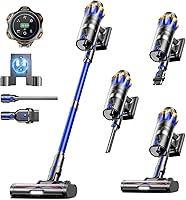
The Shark Pet Cordless Stick IX141 suits pet households that need both floor cleaning and a handheld for upholstery. Its Pet Multi-Tool and crevice tool give those above-floor jobs a clear role.
Shark's up-to-40-minute runtime is measured at the handheld in standard mode, so don't plan on that full period with the floor head. Its 240-minute charge time also matters if you expect several cleaning sessions close together.
Skip the Shark if your priority is a long floor-cleaning session with little time to recharge. The storage setup also requires detaching and clipping down the handheld, rather than simply leaving the assembled vacuum upright.
Compare replacement choices in our cordless stick vacuum buying guide. If you already have a Shark with weaker pickup, start with Shark cordless vacuum filter care before shopping.
How long do cordless vacuums last if you maintain them?
Maintenance helps preserve performance, but repair options decide whether a worn part ends the vacuum's useful life. Keep yours while it cleans well, replace the battery for an isolated runtime problem, and replace the machine when several faults make repairs poor value.
For a new vacuum, choose Levoit for routine hair cleanup, JellyPig for frequent pauses, KARDV for lighter carrying, or Shark for floor-to-furniture pet chores. Match each choice to the working mode you need using our guide to cordless vacuum battery runtime.
Frequently asked questions
How long should a cordless vacuum battery last?
A cordless vacuum battery has no fixed useful lifespan, because use, charging habits, heat, and battery design all affect capacity loss. Judge yours by whether a full charge still covers your usual cleaning route in the same mode, after you've ruled out clogs and filter problems.
Is it worth replacing a cordless vacuum battery?
Replacing the battery makes sense when short runtime is the main problem and the rest of the vacuum works well. Confirm that a compatible battery is available, then compare its cost with a suitable new vacuum while allowing for any worn floor-head parts or filters that also need replacement.
What makes a cordless vacuum lose suction?
A full dust cup, blocked air path, dirty filter, or tangled brush can weaken pickup without meaning the vacuum is worn out. Empty the cup, inspect the wand and floor head, and clean or replace filters as directed before deciding whether the machine needs repair or replacement.
Should you leave a cordless vacuum charging all the time?
Leave a cordless vacuum connected only if its charging instructions allow it, because battery and dock designs differ between models. Use the specified charger in a dry place away from heat, and follow any directions about unplugging after charging or disconnecting the cable before switching the vacuum on.